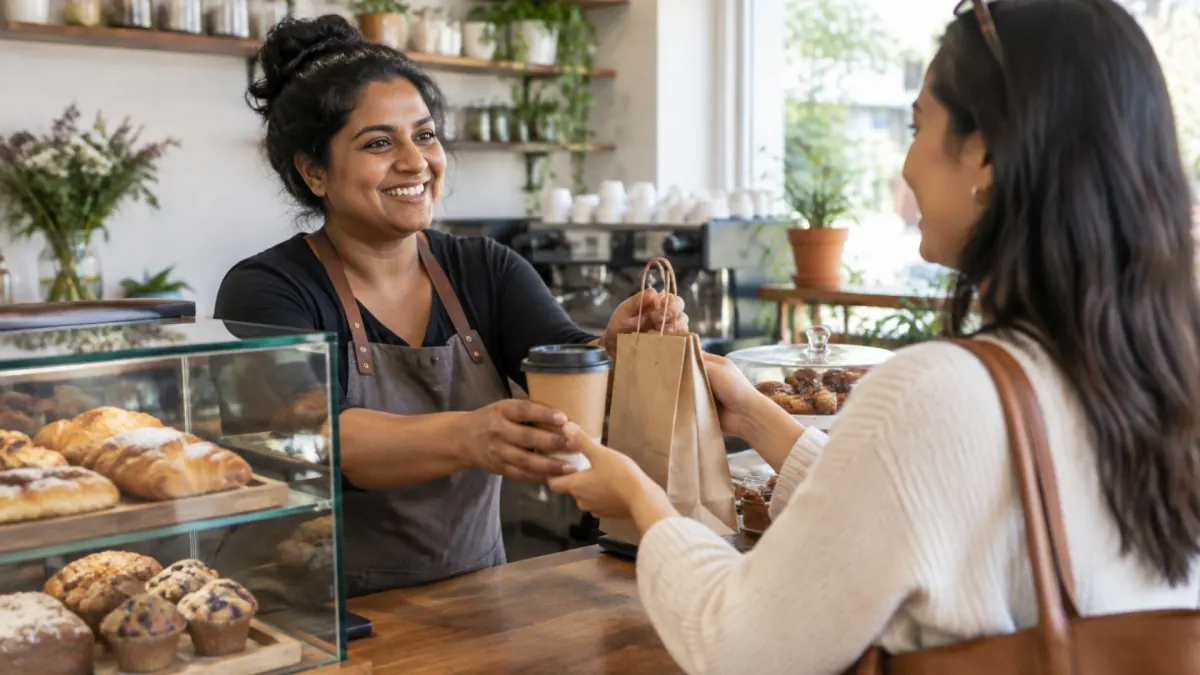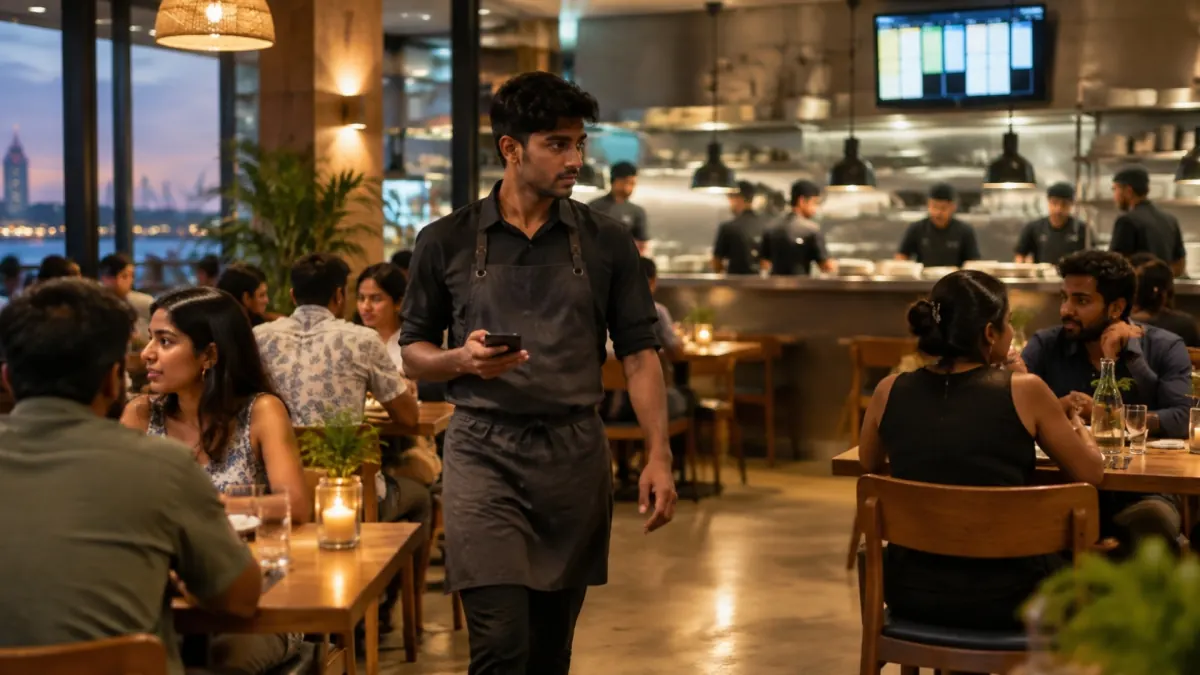
- Most of a restaurant’s daily stress comes from information moving slowly: guests waving for a waiter, slips carried to the kitchen and bills added up at the end.
- Guests can scan a QR code at the table to order, ask for water or a waiter, and request the bill, with nothing to install.
- Waiters get requests and “food ready” alerts on their own phones, for the tables in their area.
- A kitchen display replaces paper tickets, with timers, guest notes, allergens and a running total of what still needs cooking.
- Open bills, split payments and LankaQR, card or cash are handled from the counter, and every feature can be switched on one step at a time.
Running a restaurant in Sri Lanka means a hundred small decisions before the first guest sits down, and a hundred more once the lunch rush starts. In many restaurants and cafés, service still runs on handwritten order slips, waiters walking back and forth to the kitchen, and guests trying to catch someone’s eye to ask for water or the bill.
That works because good staff make it work. But it is tiring, mistakes are hard to spot, and on a busy night something always slips through. We built the MVRK+ Restaurant Management System to take that load off the team. This article walks through a normal service and shows where it makes things easier for guests, waiters, the kitchen and the cashier.
Where a restaurant’s day gets harder than it should be
The problems are rarely dramatic. They are small and constant:
- Guests waiting to be noticed: to order, for water, or for the bill, while waiters are busy elsewhere.
- Orders lost between the table and the kitchen: an unclear slip, a change shouted across the room, a second round forgotten.
- A kitchen with no clear queue: cooks can’t easily see which tickets are oldest, what is urgent or what a guest is allergic to.
- Food going cold at the pass: dishes are ready, but the waiter for that table doesn’t know.
- Takeaway orders timed badly: food for a 7 pm pickup is cooked at 6, or forgotten until the customer arrives.
- Slow bills: working out what each table owes, splitting between friends and taking different payment types at the end of a busy meal.
A service with a restaurant management system
Before opening: set the floor for the day
The manager decides which waiter covers which area today, for example indoor and outdoor, and saves it. Tomorrow, one tap copies today’s plan as a starting point. Requests and alerts from each table now go to the waiters responsible for it first, so nobody has to watch the whole room.
Guests order and ask for service from their table
Each table has a QR code. Guests scan it with their phone camera, with nothing to install, and the menu opens. They can place an order, then come back later to see every order the table has made, its status (accepted, being prepared, ready, served) and what is still to pay. A second guest at the same table can scan and see the same running bill.
A Service button lets guests ask for what they need without waving: call a waiter, water, cutlery, napkins, clean the table, or a short note for anything else. You choose which requests to offer, and limits stop the same table from sending the same request over and over.
At the counter: new orders you can’t miss
When a QR order comes in, a pop-up with a chime appears on whatever screen the cashier is using, showing the table, items, total and how long it has waited. One tap accepts it. If the counter has several screens or computers, accepting it on one closes it on all of them within seconds, so nobody accepts the same order twice. Desktop alerts appear even when the system is behind other windows.
Waiters: requests and ready food on their own phone
Each waiter uses the waiter app on their own phone, unlocked with a personal PIN. It has three tabs:
- Requests for their area, oldest first. They tap “On my way”, then “Done”, and the guest’s screen updates as they go.
- Tables, with each table’s status and running bill, and buttons to add an order or print the bill.
- Ready to serve, listing dishes the kitchen has finished for their tables.
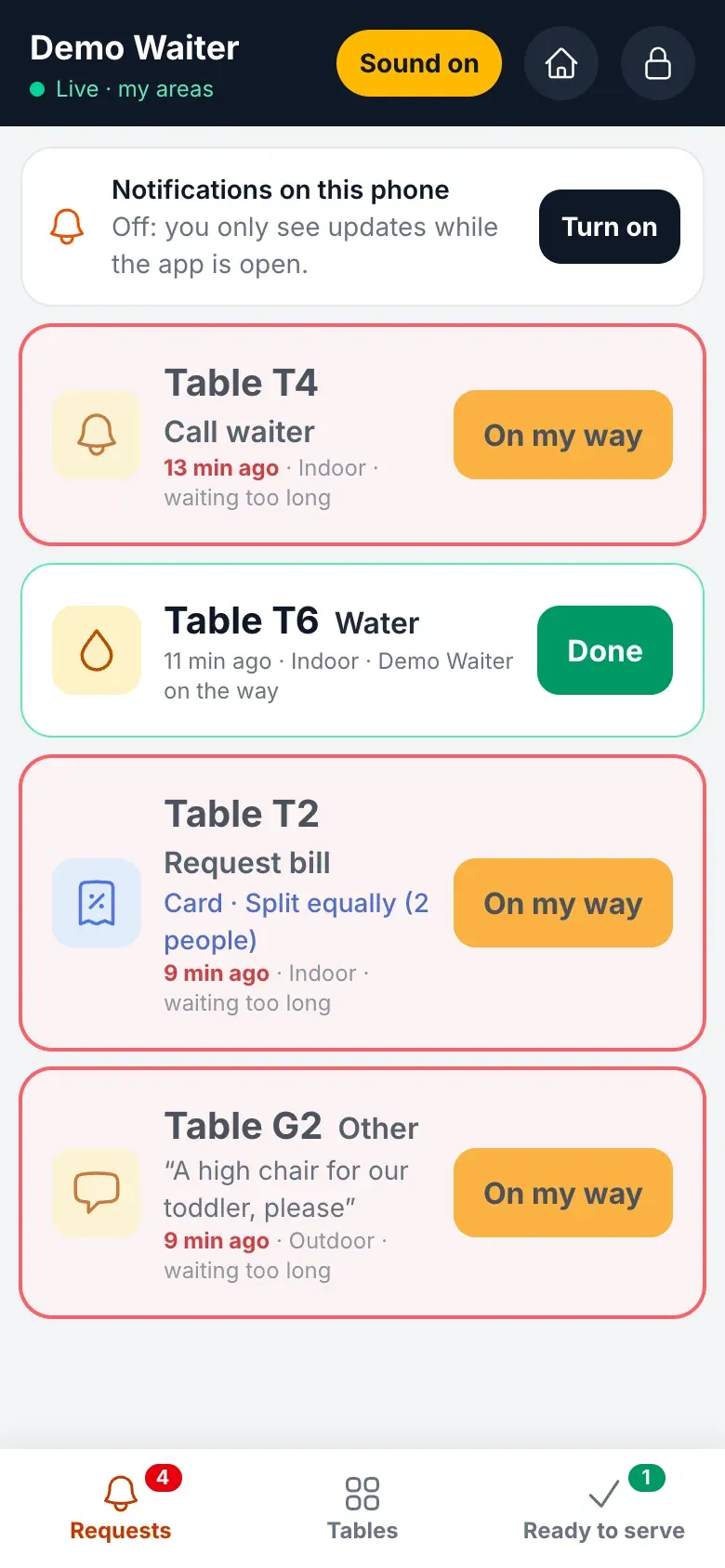
Push notifications buzz the phone for a new request, for food that is ready and, if a request waits too long, for everyone on the floor. Notifications never include customer names or phone numbers.
In the kitchen: a display instead of paper
Each station, such as the grill, the wok or the bar, can have its own screen on a wall TV or tablet. Tickets arrive the moment an order is accepted and show:
- a timer that turns from green to amber to red at the times you set,
- the quantity to make, with additions and removals clearly marked,
- the guest’s notes, allergens and dietary tags,
- RUSH, second-round and pickup-time badges, and a clear warning when an item is cancelled, and
- an “all day” total of everything still to cook, so the kitchen can cook in batches.
Cooks tap items as they finish them and “bump” the ticket when it is done. When every station has finished its part of an order, the order turns ready on the waiter’s phone, at the counter and on the guest’s screen at the same time. A ticket bumped by mistake can be brought back. If the Wi-Fi drops, tickets stay on screen and taps are saved until the connection returns.
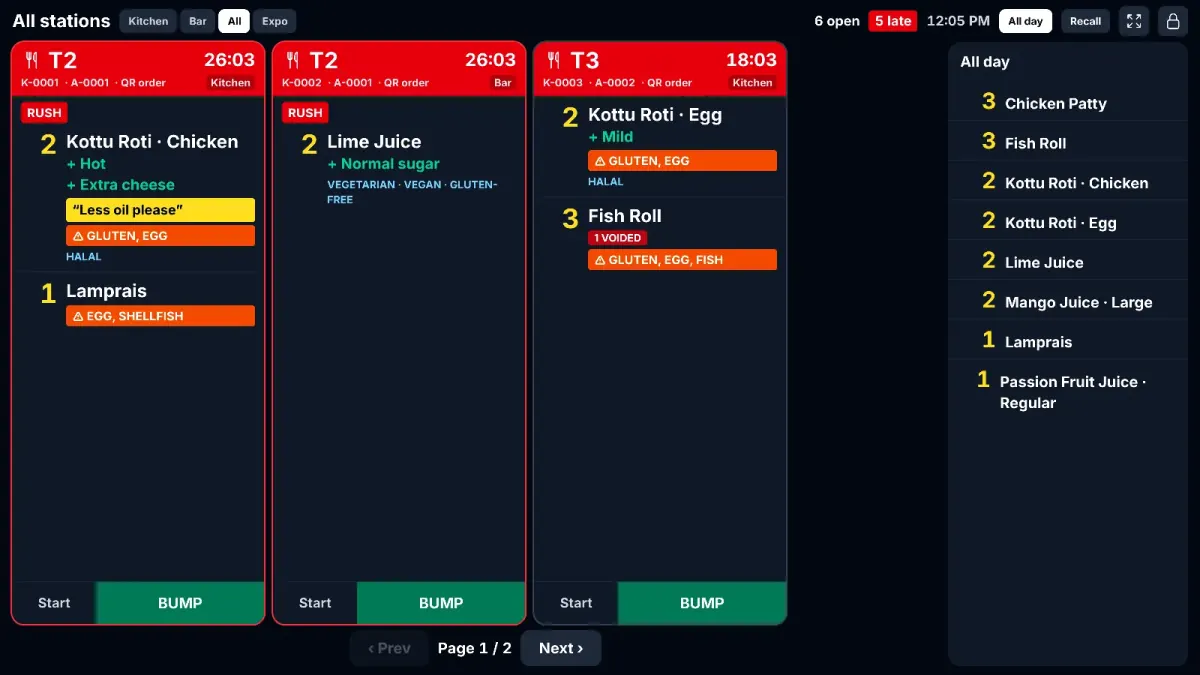
Not ready to give up paper? Each station can send tickets to its printer, to the display, or to both.
At the pass: an expo screen
For restaurants with someone checking plates before they go out, the expo screen shows each order with a tick for each station that has finished. When every station is done, the card turns green and is marked served, or collected for takeaway.
Takeaway and delivery for later, cooked at the right time
With hold & fire, a takeaway or delivery ordered for later is held and sent to the kitchen at the pickup time minus the preparation time, so the food is fresh when the customer arrives. The cashier can see exactly when it will go, and send it early if needed. Any order can also be marked RUSH to put it at the front of the kitchen’s attention.
The bill: requested, split and paid without the wait
When guests are ready, they can request the bill from the Service button, choose how they want to pay (cash, card or LankaQR) and whether to split it. The table is marked “bill requested” at the counter and on the live table map, so staff know before anyone walks over.
From the POS, an Open bills panel shows every running table, with how long it has been seated, what has been ordered and what is still to pay, plus takeaway and delivery orders waiting for payment. From there the cashier can add items, apply discounts, split, print or take payment without leaving the screen.
What changes for each person in the restaurant
| Who | Before | With the system |
|---|---|---|
| Guests | Waiting to catch a waiter’s eye | Order, ask for service and request the bill from their phone |
| Waiters | Watching the whole room, walking slips to the kitchen | Requests and ready food for their area, on their own phone |
| Kitchen | Unclear slips and shouted changes | Tickets in order, with timers, notes, allergens and RUSH badges |
| Cashier | Chasing tables and adding up bills | New-order pop-ups and every open bill in one panel |
| Manager | Finding out about delays from guests | Overdue requests and late tickets turn red for everyone |
Start one step at a time
A new system shouldn’t disrupt service, so every feature starts switched off and nothing changes for staff or guests until you turn it on. A typical order is:
1. QR ordering and new-order pop-ups
Put QR codes on the tables and let the counter get used to accepting orders as they come in.
2. Guest service requests and the waiter app
Give each waiter a PIN, set the areas, and turn on notifications on their phones.
3. The kitchen display
Start with one station on “printer and display” so the kitchen can compare, then move to display only when the team is ready.
4. Expo and hold & fire
Add these once the kitchen is comfortable, especially if you do a lot of takeaway or delivery for later.
If something doesn’t suit your restaurant, switch it off again. Nothing is lost.
Built for restaurants like yours
The MVRK+ Restaurant Management System is designed for restaurants, cafés, hotel restaurants and takeaway outlets across Sri Lanka, including Kandy and Colombo. We set it up around how your restaurant already works, load your menu, tables and stations, and train your team. If service feels busier than it needs to be, tell us where the pressure is, and we will show you how the system would fit.
Frequently asked questions
It is software that runs the daily service of a restaurant from one place: taking orders, sending them to the kitchen, keeping track of tables and handling bills and payments. It replaces handwritten order slips, shouting across the kitchen and adding up bills by hand.
No. Guests scan the QR code on their table with their phone camera and the menu opens in the browser. From there they can order, see their table’s orders and running bill, and ask for service.
No. The waiter app runs on each waiter’s own phone and is added to the home screen, with no app store download. Waiters unlock it with a personal PIN. Push notifications work on Android and on iPhones running iOS 16.4 or newer.
The kitchen display keeps the tickets on screen and saves the cooks’ taps on the tablet. When the connection returns, the changes are sent, and nothing is bumped twice. Stations can also keep printing paper tickets alongside the display, or instead of it.
No. Every feature starts switched off. Most restaurants turn on one part at a time, such as QR ordering first, then the waiter app, then the kitchen display, as each part of the team is trained. Switching a feature off again loses nothing.