The same answers all day
Prices, delivery, location and opening hours, typed out again for every customer.
MVRK+ WhatsApp Automation is our own software for running WhatsApp at scale. Send campaigns to opted-in customers, answer common questions with a chatbot or AI, share one number across your team and score every lead, all through Meta’s official WhatsApp Business Cloud API.

| Product | MVRK+ WhatsApp Automation |
|---|---|
| What it is | A multi-tenant SaaS platform for WhatsApp marketing, chatbots, customer support and lead qualification |
| Built on | Meta’s official WhatsApp Business Cloud API |
| Made for | Small and medium-sized businesses in Sri Lanka, in Colombo, Kandy and across the island |
| Main features | Broadcast campaigns, drip sequences, visual chatbot builder, shared team inbox, AI replies, lead scoring, contacts and segments, Shopify and WooCommerce, REST API and webhooks, reports |
| AI | Anthropic Claude, answering from your own knowledge base, with hand-over to your team |
| Languages | Messages in Sinhala, Tamil and English; multi-language interface |
| Runs on | Any web browser, on PC, tablet or phone |
| Pricing | Essential, Growth and AI Assistant plans in LKR, monthly or yearly; Meta’s message charges are separate |
| Made by | MVRK+, a strategic transformation partner based in Colombo |
Prices, delivery, location and opening hours, typed out again for every customer.
Customers message at night and buy from whoever answers first in the morning.
Bulk messages from a phone or an unofficial tool can get the number blocked, with no idea who read them.
Chats are stuck on one handset, so nobody else knows what was promised.
Connect your number to Meta’s official Cloud API with a guided five-step wizard.
Build message templates, preview them and submit them to Meta for approval.
Set up auto-replies, a chatbot and AI answers for the questions customers ask most.
Send campaigns and drip sequences to opted-in contacts, now or on a schedule.
Your team picks up chats in a shared inbox the moment a person is needed.
See what was delivered, read, replied to and sold, and which leads are ready to buy.
Fifteen tools in one workspace, from your first approved template to the monthly report. Which ones you get depends on your plan.
A five-step wizard connects your number to Meta’s official WhatsApp Business Cloud API and runs a live connection test. See each number’s quality rating and Meta messaging limit, and send a test message. Access keys are encrypted and never shown again after saving.
Build message templates with an image, video, document or text header, a body with variables, a footer and quick-reply, link or call buttons. Preview them live, submit them to Meta, and get notified when they are approved or rejected, with Meta’s reason.
Send to tags, saved segments or a CSV list. Opted-out, blocked and invalid contacts are left out automatically, and you see the recipient count and estimated Meta cost before you send. Send now or schedule, then follow sent, delivered, read, replied, clicked and failed live.
Follow up with people who read a campaign but didn’t reply, or enrol contacts in a series of messages over several days that stops as soon as they reply.
Drag and drop flows that start from a keyword, a first message, a button reply, a new tag or outside business hours. Ask questions with validation, branch on answers, tag contacts, call other systems, reply with AI and hand over to a person. Test in a simulator before you publish.
Greeting messages, away messages outside business hours and keyword replies, set up in minutes for businesses that don’t need a full chatbot yet.
Every conversation in one live inbox. Assign chats to agents or teams, route new ones automatically, leave internal notes with @mentions, use quick replies with /, and snooze or resolve. A countdown shows how long is left in the 24-hour reply window, and an agent replying takes over from the bot.
An AI assistant powered by Anthropic Claude answers customers from your own documents and FAQs, and hands the chat to your team when it isn’t sure. Agents also get suggested replies, and a playground lets you test answers first.
Ask the questions that matter to your sales team, then score each lead from 0 to 100 using your own rules and an AI check against your ideal customer. Leads move from new to engaging to qualified, unqualified or needs review.
Import contacts from CSV or Google Sheets, add tags and custom fields, build dynamic segments and merge duplicates. When a customer sends STOP, they are opted out everywhere.
Create wa.me links and QR codes for posters, packaging and social media, and add a WhatsApp chat widget to your website.
Websites that bring in chats →Sync customers and store events from Shopify or WooCommerce, send abandoned-cart reminders, and import contacts from Google Sheets.
A documented REST API for messages, contacts, campaigns, flows and sequences, with scoped tokens. Outgoing webhooks, plus secret trigger URLs for Zapier, Make or n8n that start a flow or send a template.
A dashboard with filters, and reports on agent performance, campaigns side by side, chatbot funnels, template performance and contact growth. Export to CSV or PDF.
Run several businesses or branches as separate workspaces with Owner, Admin and Agent roles, teams, email invitations and an activity log. Agencies can use their own domain, logo and colours.
The AI answers from what you have told it, and passes the chat to a person when it isn’t sure.
Add your price lists, FAQs, policies and product details to the knowledge base. When a customer asks a question, the AI assistant, powered by Anthropic Claude, finds the relevant information and writes a reply in seconds, day or night. If the answer isn’t in your knowledge, the chat goes to your team instead of a guess going to the customer.
While it talks, the platform can ask your qualification questions, such as budget, location or timeline, and give each lead a score from 0 to 100. Your sales team sees who is ready to buy first, with the full conversation in the lead timeline.
See the AI in a Demo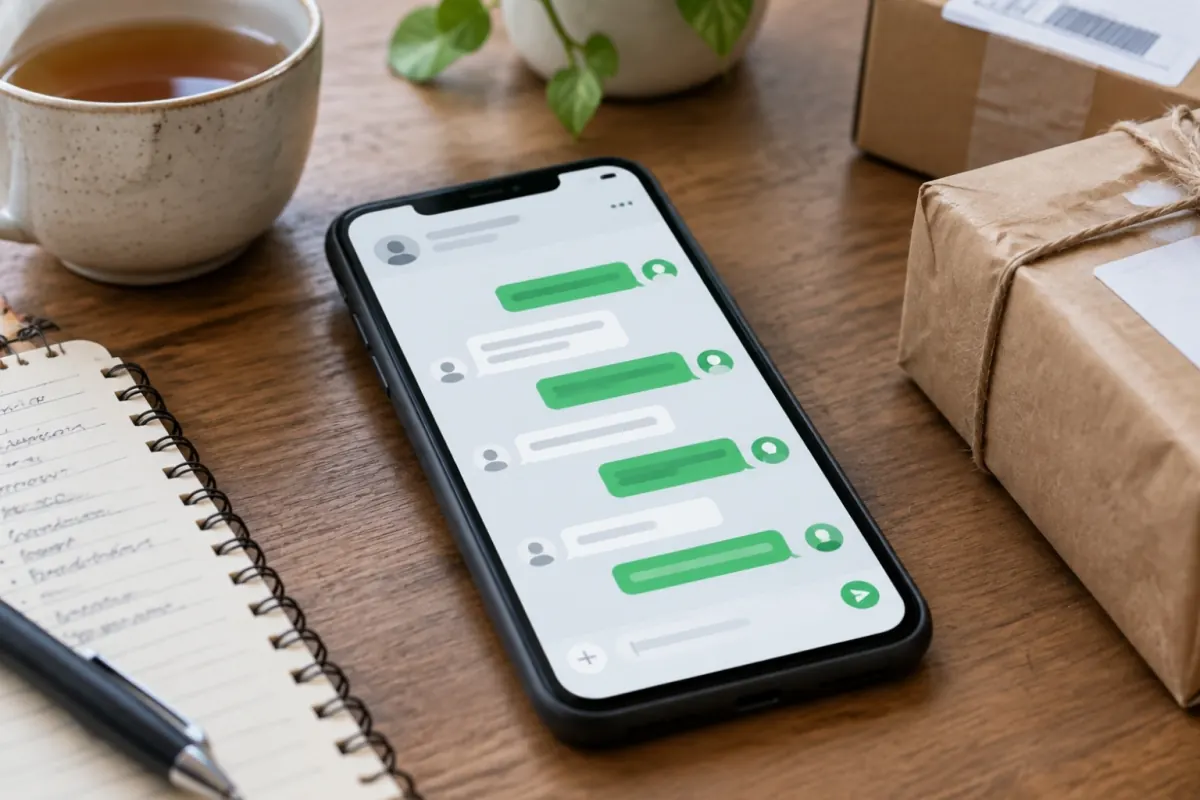
The free WhatsApp Business app is enough for many small shops. Move to the platform when your team, your message volume or your follow-ups outgrow one phone.
| Feature | WhatsApp Business app | MVRK+ WhatsApp Automation |
|---|---|---|
| Who can reply | One phone, plus a few linked devices | Your whole team in a shared browser inbox, with assignment, notes and roles |
| Broadcasts | Broadcast lists, received only by people who saved your number | Campaigns to opted-in contacts with approved templates, scheduling, cost estimates and live stats |
| Automation | Greeting, away and quick replies | Visual chatbot flows, drip sequences and AI replies from your knowledge base |
| Leads | Labels you set by hand | Qualification questions and a 0–100 lead score |
| Integrations | None | Shopify, WooCommerce, Google Sheets, REST API, webhooks, Zapier, Make and n8n |
| Reports | Basic message counts | Campaign, agent, chatbot, template and contact-growth reports |
| Cost | Free | A monthly or yearly plan in LKR, plus Meta’s per-message charges |
Answer price and delivery questions, recover abandoned carts and send new-arrival offers to opted-in customers.
Takeaway and delivery enquiries, offers for regulars and reservation reminders.
Pair it with our restaurant system →Reply to guests in every time zone, collect booking details with a chatbot and send pre-arrival messages.
More on booking systems →Appointment reminders, aftercare messages and an away message that still captures the booking request.
Course enquiries, intake campaigns, class reminders and lead scoring for the admissions team.
Qualify leads automatically and pass the best ones to a salesperson while they are still interested.
WhatsApp rewards businesses that message responsibly. The platform builds the rules in, so your team doesn’t have to remember them.
Messages go through Meta’s official WhatsApp Business Cloud API, not unofficial tools that put numbers at risk of being blocked.
CSV imports need a recorded consent confirmation, and contacts who reply STOP are excluded from every campaign, sequence and flow.
Every message checks plan limits, opt-in, the 24-hour window and rate limits. A campaign pauses itself if the number’s quality rating drops.
Export or permanently delete any contact’s data, and set how long messages are kept, which helps with obligations under Sri Lanka’s Personal Data Protection Act. Billing problems never delete your data.
Load-tested with 100,000-recipient campaigns and 50,000-row contact imports, and backed by around 950 automated tests.
Write templates, flows and quick replies in the language your customers use. The interface is multi-language too.
We help with Meta Business verification, connect your number to the Cloud API and send a test message.
We write your first templates, submit them for approval and build auto-replies and a chatbot for your most common questions.
Import opted-in contacts, invite your team, set up assignment rules and add your knowledge base for the AI.
Send your first campaign, then review replies, leads and reports with us to see what to improve next.
It is a WhatsApp Business API platform built by MVRK+ for Sri Lankan SMEs. It brings broadcast campaigns, drip sequences, a visual chatbot builder, a shared team inbox, AI replies, lead scoring, contact management, integrations and reports into one web app. Each business gets its own workspace.
Yes. It connects to Meta’s official WhatsApp Business Cloud API using your own WhatsApp Business Account. MVRK+ is an independent company and is not affiliated with or endorsed by Meta or WhatsApp.
Yes, to contacts who have agreed to hear from you, using templates Meta has approved. Opted-out, blocked and invalid numbers are removed automatically, you see the estimated cost before sending, and the campaign pauses itself if your number’s quality drops. This keeps your number safe, unlike unofficial bulk-sending tools.
There are three plans priced in Sri Lankan rupees: Essential, Growth and AI Assistant, paid monthly or yearly by card or bank transfer. A one-time setup fee may apply if we set things up for you. Meta’s own per-message charges are separate and billed by Meta to your WhatsApp Business Account. Message us on WhatsApp and we will recommend a plan for your business.
Usually, yes. A number that is already on the WhatsApp or WhatsApp Business app has to be moved to the API, or you can use a new number. We check your number and Meta’s current options with you before connecting it, so you don’t lose access to your chats unexpectedly.
WhatsApp lets a business reply freely for 24 hours after a customer’s last message. After that, you can only start the conversation again with an approved template. The inbox shows a countdown for each chat and asks for a template once the window closes.
The AI assistant, powered by Anthropic Claude, answers customers using the documents, FAQs and product information you add to its knowledge base. When it isn’t confident, it hands the chat to your team. AI credits are included in plans that have AI, or you can use your own Anthropic API key.
Yes. Templates, chatbot messages and quick replies can be written in Sinhala, Tamil or English, and the knowledge base search is built to work across languages.
Yes. It connects to Shopify and WooCommerce to sync customers and store events and send abandoned-cart reminders. Other systems can connect through the REST API, webhooks, Zapier, Make or n8n.
No. Campaigns, chatbots and the inbox are all set up in the browser, and we can do the setup for you. The API and webhooks are there if you want to connect your own systems later.
The free app suits a small business with one person replying. MVRK+ WhatsApp Automation is for when several staff share one number, or you need campaigns, chatbots, AI replies, lead scoring, integrations or reports. If the free app is enough for you, we will tell you.
AI & Automation · 5 min read
How Sri Lankan businesses can automate WhatsApp replies, orders, bookings and reminders, and when to move from the free WhatsApp Business app to the API.
Read the guide → Growth · 6 min read
Nine practical, low-cost ways for Sri Lankan small businesses to increase sales: faster replies, clearer offers, Google visibility and repeat customers.
Read the guide → Websites & E-commerce · 4 min read
A practical guide to selling online in Sri Lanka: where to sell, building an e-commerce website, accepting payments, delivery and first orders.
Read the guide →Tell us the challenge. We'll help you figure out what comes next.
Start a Conversation on WhatsApp