Guests waiting to be noticed
To order, for water or for the bill, while every waiter is busy somewhere else.
The MVRK+ Restaurant Management System brings QR table ordering, the counter POS, kitchen tickets, a waiter phone app, billing, cash shifts, reports and inventory into one system. It runs in a web browser and is built for restaurants, cafés, hotel restaurants and takeaways across Sri Lanka.
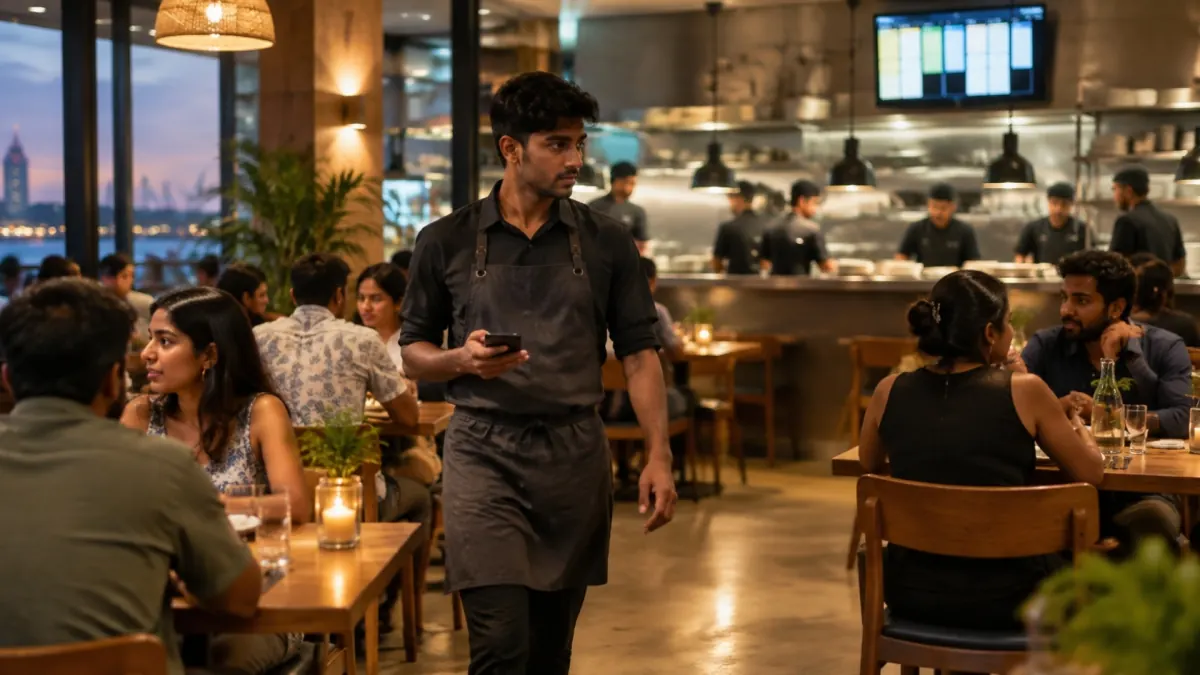
To order, for water or for the bill, while every waiter is busy somewhere else.
An unclear slip, a change shouted across the room, a second round forgotten.
Dishes are ready, but the waiter for that table doesn’t know.
Bills worked out by hand and a drawer that is short at closing, with no record of why.
A guest scans the table QR code, or a cashier or waiter keys the order into the POS.
The cashier checks the order in the inbox and accepts it with one tap.
A ticket prints for each station and appears on the kitchen display.
The kitchen bumps the ticket and the waiter’s phone shows it is ready to serve.
The cashier takes payment, the receipt prints and the table closes by itself.
The cashier closes the shift, and the manager closes the day with one checklist.
Every screen your team needs, from the guest’s phone to the end-of-day report. Each person sees only the screens their role uses.
Guests scan the table’s QR code and the live menu opens, with no app to install. They choose sizes and add-ons, track the order live, order another round and ask for a waiter, water or the bill from the Service button.
New QR orders arrive with a chime and turn red if they wait too long. Accept with an optional prep time, or reject with a reason the guest sees. If two cashiers tap at once, only the first accept counts.
Key in dine-in, takeaway and delivery orders. Look up returning customers by phone number, hold an order while a guest decides, and see every open bill in one panel.
Every table with its colour-coded status, how long guests have been seated and the running total. Seat, move and merge tables, and print a pre-bill without leaving the map.
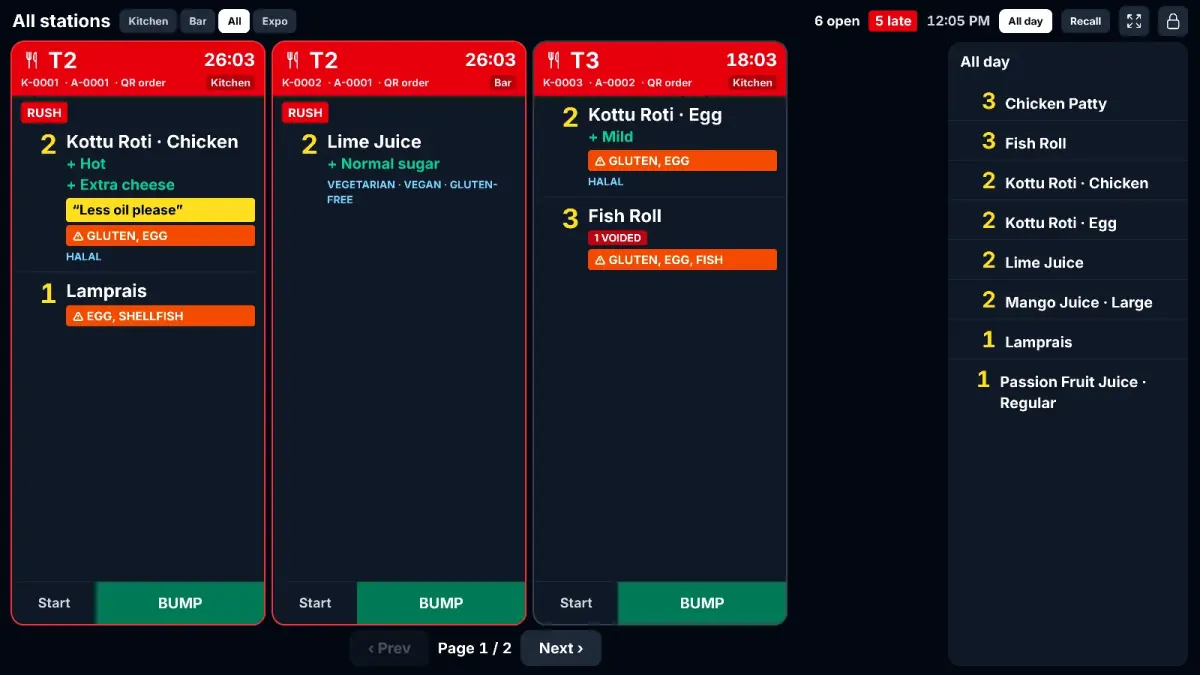
One ticket per station, never showing prices. On the kitchen display, timers turn amber then red, allergens are highlighted, RUSH and second rounds stand out, and an all-day panel totals what is left to cook.
Guest requests, the waiter’s own tables and dishes ready to serve, on their own phone and unlocked with a PIN. Push notifications work even when the phone is locked, and a request nobody answers is passed to everyone.
Cash, card, bank transfer and LankaQR, with part payments, splits by item or equal shares, discounts, comps and refunds. Service charge, VAT and cash rounding are calculated for you, and receipts can be sent by WhatsApp or email.
Open each shift with a counted float, record pay-ins, pay-outs and cash drops, and close with a Z-report. The system works out the expected cash, and larger differences wait for a manager’s approval.
Today’s sales against the same day last week, busy hours, best and slowest sellers, voids, discounts and VAT figures. Export to Excel or CSV, then close the day and the summary is emailed to the owners.
Items with photos, sizes, add-on groups, allergens and schedules such as breakfast only in the morning. Mark anything sold out in one tap and it disappears from the guest menu straight away. Edit the whole menu in Excel if you prefer.
Set up areas such as indoor, outdoor and rooftop, arrange the floor plan and print branded QR table cards. Separate takeaway and delivery QR codes for posters and Facebook show how many scans each one gets.
Link ordering from your website →Receive supplier deliveries, track stock, wastage and stock takes, and attach recipes so ingredients come off automatically as dishes are sold. See the food cost of every dish.
More on stock management →Six staff roles, each seeing only the screens they need. Personal PINs on shared counter devices, two-factor sign-in for managers, and an audit log of every void, discount, refund and cash movement.
Kitchen and receipt printers on your network or by USB, 58 mm or 80 mm, each mapped to the stations it prints for. If a printer goes offline, tickets wait and print when it returns, or print from the browser.
Waiters get guest requests and ready food on their own phone, for the tables in their area.
The waiter app opens from the browser and is added to the home screen, with nothing to download from an app store. A waiter taps On my way, then Done, and the guest’s screen updates as they go. Requests also appear at the counter and as a bell on the table map, so nothing is missed when the floor is busy.
In the kitchen, the display replaces paper, or works alongside it. Cooks tap items as they finish them and bump the ticket when it is done. When every station has finished, the order turns ready for the waiter, the cashier and the guest at the same time.
See It Running in a Demo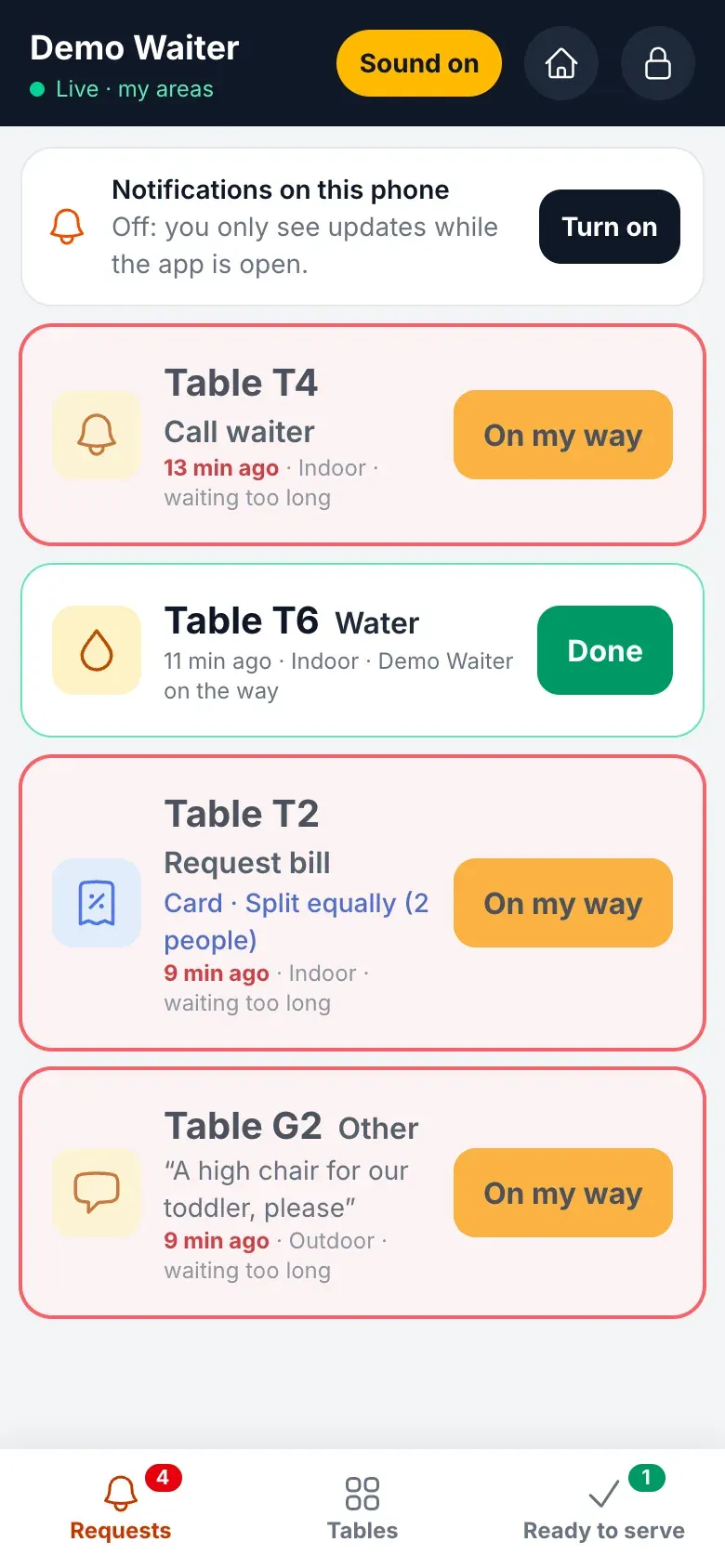
Browse the menu, order, follow the food and ask for service from their own phone, then get a digital receipt.
Requests and ready food for their own area, on their own phone. Open tables, add orders and print a pre-bill.
Clear tickets with timers, guest notes and allergens. Bump when done, and recall a ticket bumped by mistake.
One inbox for new orders, every open bill in one panel, and payments by cash, card, transfer or LankaQR.
Approvals for voids, discounts and cash differences, live alerts on the dashboard, and a checklist to close the day.
Sales, food cost, staff activity and a daily summary email, wherever you are.
We load your menu, prices, tables, kitchen stations and printers, and add your logo, VAT and service charge.
Print the QR table cards, train the cashiers on the inbox, POS and bills, and open the first shift.
Give each waiter a PIN, turn on service requests and the waiter app, then move the kitchen to the display.
Switch on inventory, recipes and food cost, and review the reports with us to see what to improve next.
It is a restaurant POS and management system that runs service from one place: QR table ordering, the counter POS, kitchen tickets and a kitchen display, a waiter phone app, bills and payments, cash shifts, reports and inventory. It replaces handwritten order slips, adding up bills by hand and end-of-day guesswork.
No. It runs in a web browser on any PC, tablet or phone. Most restaurants use a counter PC with a receipt printer, a kitchen printer or a TV or tablet for the kitchen display, and the waiters’ own phones. Network and USB printers in 58 mm and 80 mm are supported.
No. Guests scan the QR code on their table with their phone camera and the menu opens in the browser. Takeaway and delivery customers can order from a separate QR code on a poster or your Facebook page.
Yes. VAT, service charge and cash rounding are calculated automatically on every bill, and the reports give you the figures for your VAT return. Payments can be taken by cash, card, bank transfer and LankaQR, or a method you add yourself.
Taps on the kitchen display are saved and sent when the Wi-Fi returns. If the print agent or a printer is offline, tickets wait and print once it is back, and any ticket or bill can also be printed straight from the browser.
No. Features such as the kitchen display, the waiter app and inventory start switched off. Most restaurants start with QR ordering and the POS, then add the waiter app, the kitchen display and inventory as the team gets comfortable. Switching a feature off again loses nothing.
Pricing depends on the size of your restaurant and which parts you need. Message us on WhatsApp with a little about your restaurant and we will show you how the system would fit, then quote it clearly.
Hospitality · 7 min read
How a restaurant management system eases a Sri Lankan restaurant’s day: QR table ordering, a waiter phone app, a kitchen display and faster bills.
Read the guide → AI & Automation · 5 min read
How Sri Lankan businesses can automate WhatsApp replies, orders, bookings and reminders, and when to move from the free WhatsApp Business app to the API.
Read the guide → Growth · 6 min read
Nine practical, low-cost ways for Sri Lankan small businesses to increase sales: faster replies, clearer offers, Google visibility and repeat customers.
Read the guide →Tell us the challenge. We'll help you figure out what comes next.
Start a Conversation on WhatsApp